Adblock Plus and (a little) more
Adblock Plus for Safari out of beta · 2014-05-06 14:00 by Sebastian Noack
After three and a half months in beta we’re proud to finally release Adblock Plus for Safari.
The lack of a request blocking API was one of the largest challenges we faced while porting Adblock Plus to Safari. This also makes it impossible to block requests initiated by Flash. But we finally found a solution to block all ads, including pre-rolls and overlay ads, in all YouTube videos.

Adblock Plus 1.8 for Chrome, Opera and Safari released · 2014-05-06 14:00 by Sebastian Noack
Install Adblock Plus 1.8 for Chrome
Install Adblock Plus 1.8 for Opera (Opera 17 or higher required)
Install Adblock Plus 1.8 for Safari (Safari 6 or higher required)
Adblock Plus for Safari is out of beta and this is the first release where we release for Safari, Chrome and Opera simultaneously. Adblock Plus for Safari is mostly on par with Adblock Plus for Chrome and Opera. There are currently some limitations however when it comes to blocking popups, XMLHttpRequests and requests initiated by Flash. Most of these are limitations in Safari that will hopefully be addressed in future Safari versions.
We also added a notification that shows up the first time users visit websites which show obtrusive anti-adblock messages, asking them whether to block those or not. This was ported from Adblock Plus for Firefox, where we introduced it in February (issue 174).
In order to hide elements we have to inject a stylesheet into the web page. However, changing an arbitrary web page always introduces the chance to break something. So we are now using Shadow DOM if available (that’s almost all supported Chrome and Opera versions). This allows us to hide our stylesheet from the web page itself (issue 309).
Chrome 35 is now in beta and has changed quite a few things in particular for extensions. So this release includes changes to restore compatibility with Chrome 35. At the same time we have dropped support for versions older than Chrome 28. Adblock Plus already suffered from some limitations on older Chrome versions, but with recent changes it is no longer possible to support Chrome 18 to 27.
This update also contains a fix for an issue with saving the data to disk which occasionally led to all filter lists and custom filters being removed (issue 361).
Other changes
- Fixed: Wrong filter was sometimes created by “Block Element” dialog when matching elements by class.
- Fixed various issues with the emergency notification mechanism.
- The icon indicating whether Adblock Plus is enabled/disabled is correctly set on startup now.
- Collapsed elements are now hidden instead of being removed from the document, in order to prevent JavaScript issues (issue 194).
- Added high-resolution icons for Retina displays (issue 4).
- Fixed issues with unknown frames and memory leaks while keeping track of frames (issue 178).
- Fixed race condition sometimes preventing initialization on first run (issue 337).
Discontinuing support for Internet Explorer 6 and 7 · 2014-04-29 16:59 by Wladimir Palant
So far, Adblock Plus for Internet Explorer has been supporting every version Internet Explorer version still in use — including Internet Explorer 6 and Internet Explorer 7. This not only complicated development of Adblock Plus, our website and infrastructure had to support Internet Explorer 6 as well. This meant for example continuing to support the outdated SSLv3 protocol because the more secure TLS 1.0 protocol is turned off by default in Internet Explorer 6. After reviewing the current market share of Internet Explorer 6 and 7 we’ve decided that we should stop supporting them.
Eyetracking study results · 2014-04-29 13:20 by Ben Williams
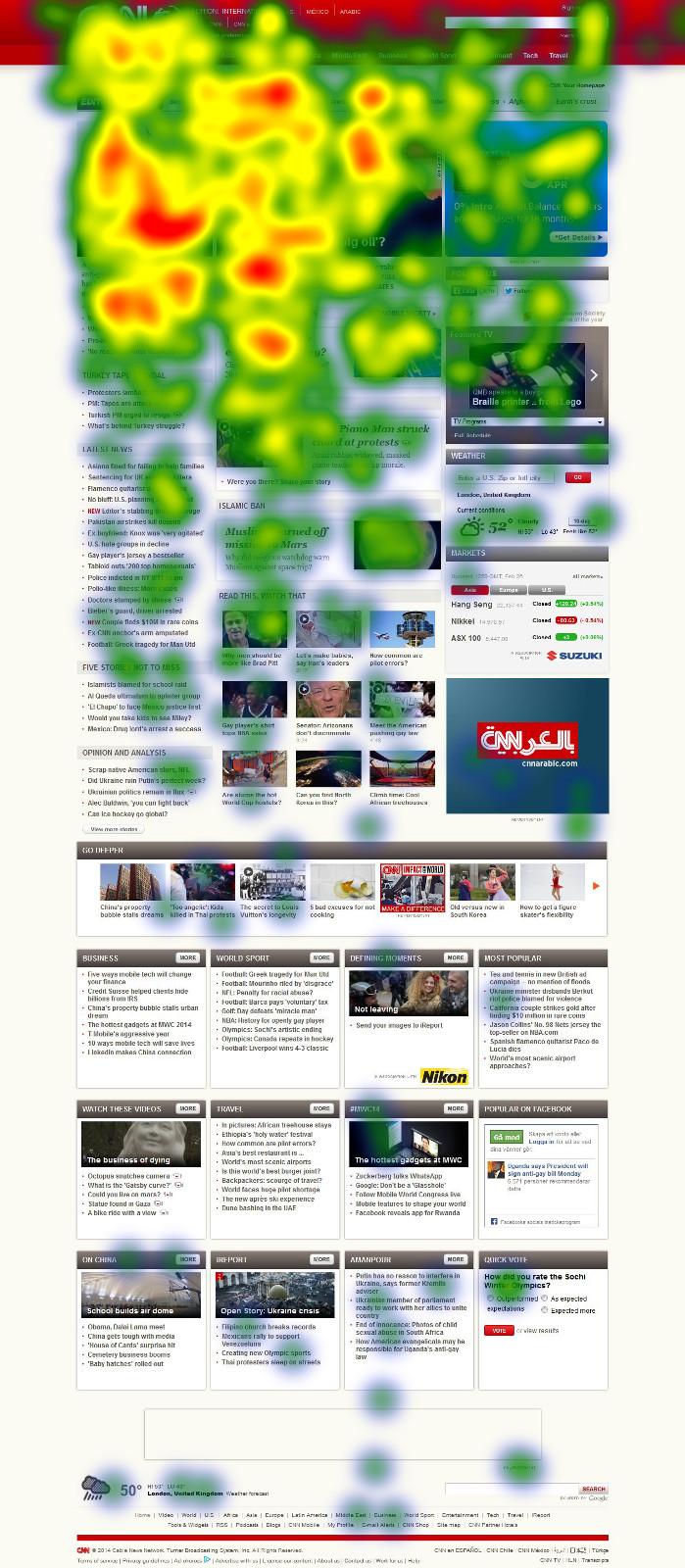
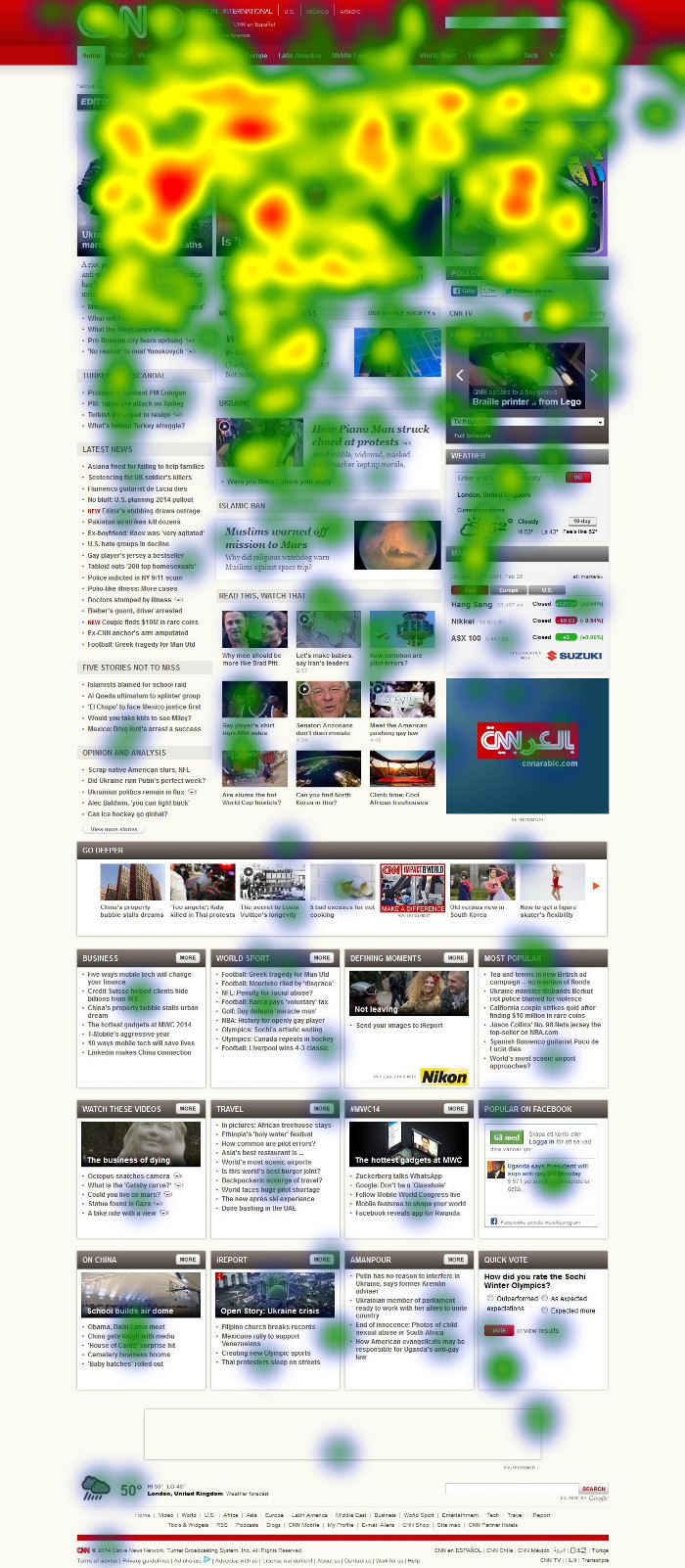
We just completed a joint study with media technology firm Sticky to measure how effective different types of ads are on different types of sites, in terms of things like brand perception and brand recall. Complete findings are in this Ad Effectiveness study. Have a look at a few examples of heatmap images below (click to expand); you can see all the heatmap images as well.


Data loss on Google Chrome hopefully fixed · 2014-04-29 11:26 by Wladimir Palant
There have been complains about data loss on Google Chrome for quite some time already. People complained about all filters data suddenly being gone — without any obvious reason and without any way to reproduce the issue. It seems that we’ve finally found the cause of this issue and it has been resolved in Adblock Plus 1.7.4.1165 for Chrome. Please report any issues you notice with this development build. The current plan is to have a new stable release next Tuesday, then we will see whether the fix worked (the issue is rare enough that it isn’t possible to tell anything before rolling out the fix to the entire user base). If you are interested, the details are listed in issue 361.
Element Hiding Helper 1.3 released · 2014-04-22 10:58 by Wladimir Palant
Install Element Hiding Helper 1.3
Changes
- Fixed: Integration with the Inspector tool broken in current Firefox versions (issue 5).
- Fixed: Filter Composer suggests empty domain name for host names with a trailing dot (forum topic).
- Fixed: Element Hiding Helper menu item isn’t added in some windows (forum topic).
- Fixed: Element Hiding Helper menu item doesn’t show up if Adblock Plus icon is placed in the Australis panel (issue 229).
- Fixed: Shortcut key on OS X is Ctrl-Shift-K rather than Cmd-Shift-K.
Adblock Plus 2.6 for Firefox released · 2014-04-22 09:42 by Wladimir Palant
Install Adblock Plus 2.6 for Firefox
The main focus of this release were performance improvements.
Changes
- Made sure Adblock Plus initialization doesn’t delay Firefox startup (issue 117).
- Switched to a faster way to access Adblock Plus data on disk (issue 153).
- Fixed regression in Adblock Plus 2.5.1: Adblock Plus initialization takes longer for each new window opened (issue 238).
- Fixed: Firefox Sync integration sometimes won’t work (issue 261).
- Fixed: Filter search in Filter Preferences was broken in newer Firefox versions.
- Fixed: Wrong button type displayed for Adblock Plus immediately after customizing toolbar in Firefox 29 and above (bug 981543).
- Fixed: Homepage link is displayed in Filter Preference even if the subscription doesn’t define a homepage (issue 48).
- Fixed: Pop-up blocker won’t work in some scenarios (issue 341).
- Various code cleanup tasks (issue 137, issue 301, issue 354).
Element Hiding Helper integration with Inspector restored · 2014-04-15 16:26 by Wladimir Palant
When Firefox 10 introduced the Inspector tool we promptly started using it in Element Hiding Helper. Selecting elements with the Inspector tool is easier than with Element Hiding Helper and one only has to click the EHH button in the Inspector toolbar to hide it then. Unfortunately, the developer tools API wasn’t quite as stable as expected and changes to it broke the integration again. Sorry that it took us so long but starting with Element Hiding Helper 1.2.4a.458 everything should be working again. Element Hiding Helper 1.3 is currently scheduled to be released next Tuesday (April 22nd).
Adblock Plus 2.6 for Firefox release candidate available · 2014-04-15 11:51 by Wladimir Palant
Adblock Plus 2.5.1.3795 development build is a release candidate for Adblock Plus 2.6, the release is currently scheduled for next Tuesday (April 22nd). The list of changes in this release:
- Made sure Adblock Plus initialization doesn’t delay Firefox startup (issue 117).
- Switched to a faster way to access Adblock Plus data on disk (issue 153).
- Fixed regression in Adblock Plus 2.5.1: Adblock Plus initialization takes longer for each new window opened (issue 238).
- Fixed: Firefox Sync integration sometimes won’t work (issue 261).
- Fixed: Filter search in Filter Preferences was broken in newer Firefox versions.
- Fixed: Wrong button type displayed for Adblock Plus immediately after customizing toolbar in Firefox 29 and above (bug 981543).
- Fixed: Homepage link is displayed in Filter Preference even if the subscription doesn’t define a homepage (issue 48).
- Various code cleanup tasks (issue 137, issue 301).
Sign our Acceptable Ads Manifesto · 2014-04-04 16:05 by Jessica Ciesielski
Yesterday we launched, together with PageFair, Reddit, Customer Commons and the Anti-Advertising Agency our Acceptable Ads Manifesto. The manifesto aims to collect signatures from organizations and internet users who want to make the internet a better place for everyone.